
Essential Mobile Security Features Every High-Risk Individual Should Enable
The landscape of digital surveillance has fundamentally shifted. What once seemed like the stuff of spy novels has become disturbingly commonplace. In my view, the recent surge in sophisticated spyware attacks targeting journalists, activists, and dissidents represents one of the most significant threats to digital privacy we’ve ever faced.
The reality is stark: government-sponsored hackers are routinely compromising smartphones using advanced tools that grant them virtually unlimited access to personal data. These aren’t simple phishing attempts – they’re zero-click attacks that require no user interaction whatsoever. I find this particularly troubling because it means traditional security awareness training becomes largely irrelevant against such threats.
Here’s what makes these attacks so insidious: once installed, spyware transforms your device into a comprehensive surveillance tool. Attackers can record conversations, access private messages, capture photos, activate cameras and microphones remotely, and track real-time location data. Essentially, your most personal device becomes their window into your entire life.
Who Should Care About These Protections
Let me be clear about who needs to take this seriously. If you’re a journalist covering sensitive topics, a human rights advocate, a political activist, or anyone whose work might antagonize powerful interests, these protections aren’t optional – they’re essential. But I also believe everyday users should consider these features, especially if they handle sensitive personal or professional information.
That said, these security measures aren’t for everyone. If you prioritize convenience above all else and rarely handle sensitive information, the trade-offs might not be worth it. The features I’m about to discuss do impose some limitations on device functionality.
Advanced Device Lockdown Features
Major technology companies have responded to these threats by developing specialized security modes. In my experience, these features represent the best defense currently available against sophisticated spyware attacks.
The most comprehensive protection comes from enhanced security modes that fundamentally alter how devices operate. When enabled, these systems block potentially dangerous content, limit network connections, and restrict various functionalities that could serve as attack vectors.

Here’s what typically gets restricted:
- Message attachments beyond basic media files are blocked
- Web links in messages appear as plain text without previews
- Certain web technologies and fonts are disabled in browsers
- Video calls from unknown contacts are prevented
- Screen sharing and collaborative features are unavailable
- Location data is stripped from shared photos
- Automatic connections to public Wi-Fi networks are disabled
- Older, less secure cellular networks are blocked
I’ve personally used these enhanced security modes for years, and while there’s definitely an adjustment period, the inconvenience is minimal compared to the protection gained. The key is understanding that you can selectively disable restrictions for trusted websites and applications without compromising overall security.
Account-Level Security Enhancements
Beyond device-level protections, comprehensive account security programs offer additional layers of defense. These systems focus on making your online accounts more resilient against various types of attacks.
Advanced protection programs typically include:
- Restricted third-party app access requiring explicit permission
- Enhanced email scanning for malicious content
- Aggressive web browsing protection with dangerous site warnings
- Mandatory physical security keys for account access
- Additional identity verification steps for account recovery
What I appreciate about these programs is their holistic approach. Rather than focusing solely on one attack vector, they create multiple barriers that attackers must overcome.
Mobile-Specific Security Modes
Modern mobile operating systems now include specialized protection modes designed specifically for high-risk users. These features go beyond traditional security measures to address the unique vulnerabilities of smartphones.
Key protections typically include:

- Enhanced malware scanning for all installed applications
- Automatic device locking during suspected theft attempts
- Forced reboots after extended lock periods to thwart forensic tools
- USB connection blocking when the device is locked
- Automatic screening of potentially harmful messages
- Enhanced caller identification and spam protection
- Enforced encryption for all web connections
- Disabled JavaScript functions that could serve as attack vectors
I’m particularly impressed by features that detect physical theft attempts using motion sensors and network data. This represents a sophisticated understanding of how attacks actually occur in the real world.
Messaging App Security Features
Given that messaging applications are prime targets for surveillance, leading platforms have developed specialized security modes for high-risk users. The demand for messaging app exploits has reached such levels that working attacks can cost millions of dollars – a clear indication of their value to attackers.
Strict security settings for messaging typically include:
- Mandatory two-factor authentication
- Notifications when contacts change devices or reinstall applications
- Automatic blocking of media from unknown senders
- Disabled link previews to prevent malicious content loading
- Silenced calls from unknown numbers
- Hidden IP addresses during voice calls
- Restricted profile visibility to contacts only
- Protected group chat participation
What strikes me as particularly valuable is how these features address both technical vulnerabilities and social engineering attempts. By limiting interaction with unknown contacts, they reduce the attack surface significantly.
My Assessment of These Protections
Having extensively tested these security features, I believe they represent a genuine advancement in consumer-level protection against sophisticated threats. Security researchers have documented cases where these protections successfully blocked spyware attacks that would have otherwise succeeded.
However, I want to be realistic about their limitations. No security measure is foolproof, and the cat-and-mouse game between attackers and defenders continues constantly. Spyware developers actively work to circumvent these protections, so they’re not a permanent solution.
That said, the evidence suggests these features significantly raise the bar for successful attacks. For most high-risk individuals, the protection they provide far outweighs the inconvenience they cause.
My recommendation is straightforward: if you’re in a position where sophisticated actors might target you, enable these features immediately. Even if you’re not sure you’re at risk, the minimal cost of trying them makes the experiment worthwhile. You can always disable them if they prove too restrictive for your needs.
The reality is that we’re living in an era of unprecedented digital surveillance capabilities. While we can’t eliminate all risks, we can make ourselves significantly harder targets. These security features represent our best current defense against threats that were unimaginable just a few years ago.
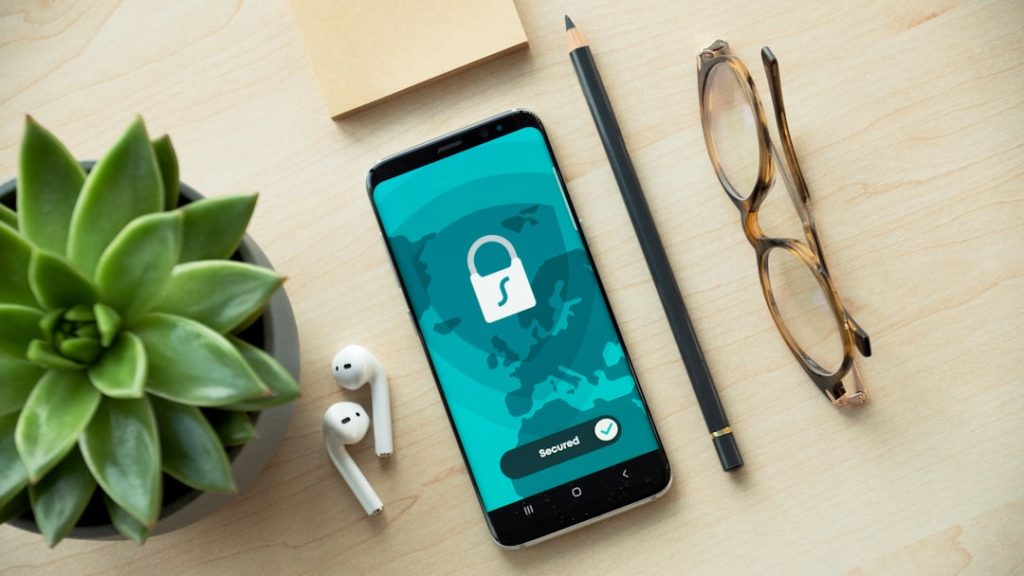
Photo by Dan Nelson on Unsplash
Photo by Privecstasy on Unsplash